
overview:
SidePlayer is a retro-inspired console that brings physicality to digital experiences. Insert cartridges to play games, discover videos, or explore an ever-growing collection of interactive and educational experiences. I designed and built it from scratch, combining hardware and software with a playful approach to technology.
design:
I wanted SidePlayer to look and feel like a retro computer console, drawing inspiration from early Macintosh computers and Soviet-era devices. I designed the enclosure in Autodesk Fusion 360 and 3D printed it using Bambu Lab printers.
The name came later, when a friend remarked how cool it was to have something playable “off to the side.” I loved giving SidePlayer its own visual identity, designing the logo and exploring color schemes. I even made a quick-start manual.
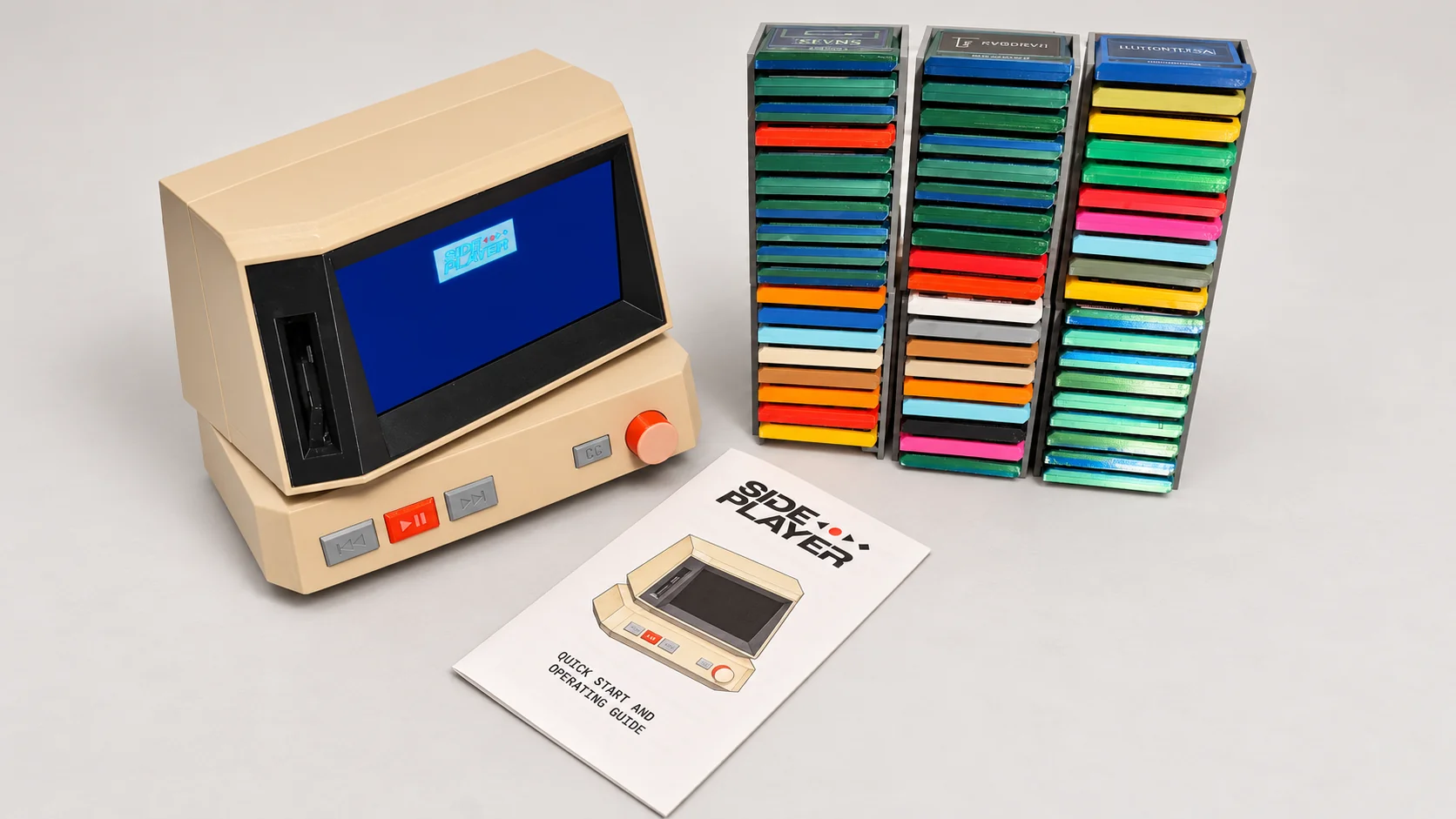


With near-zero coding and electronics experience, I turned to ChatGPT for help choosing hardware, assembling electronics, and programming. I spent weeks refining and stress-testing its features and interface. The first version, with 40 cartridges, took four weeks, including a few bad headaches and plenty of lost sleep.
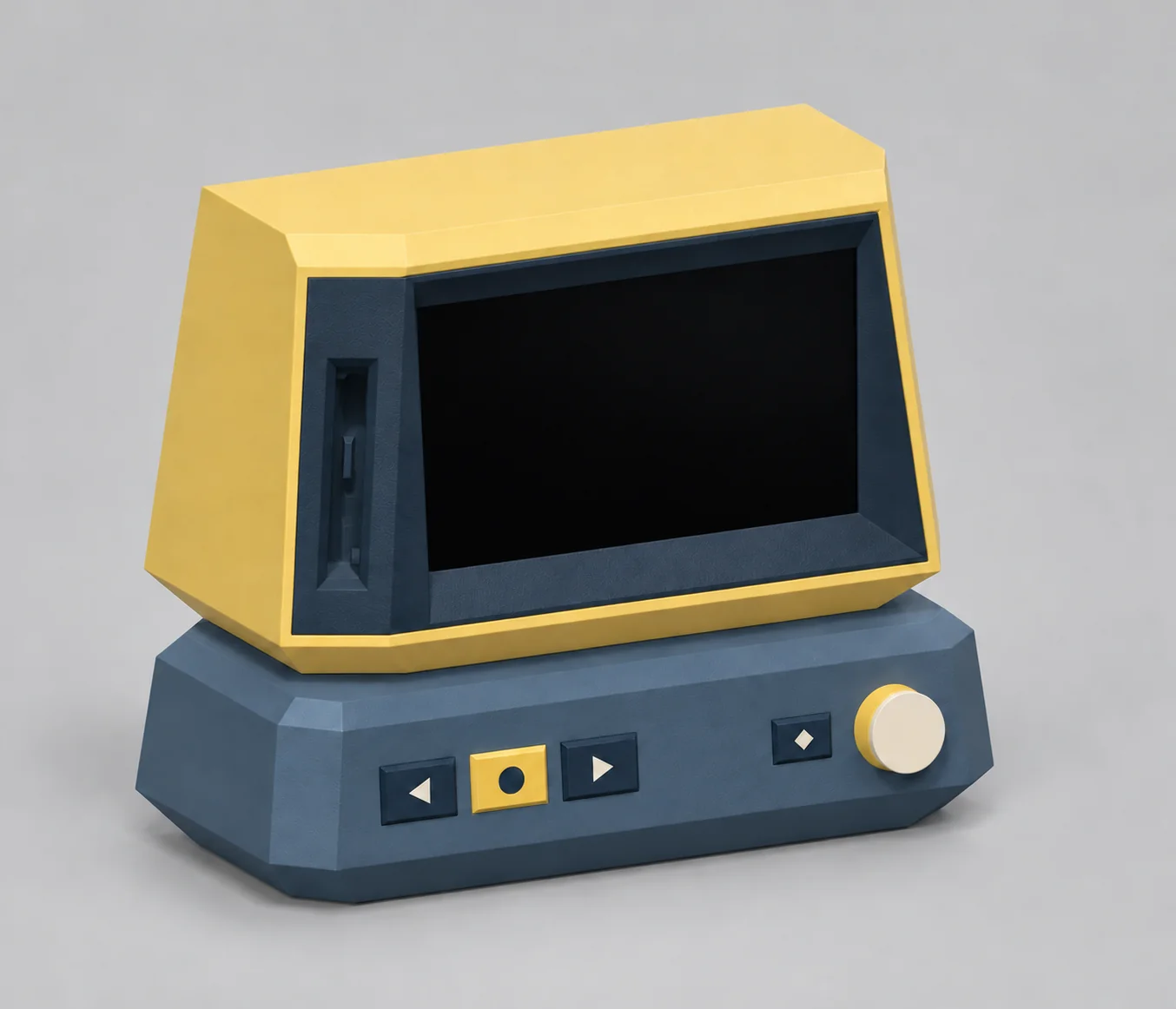
For V2, I’m making the enclosure easier to open and modify, exploring new colors, and redesigning the button icons to give SidePlayer a more distinctive identity.
See V2 mockups below:



cartridges:
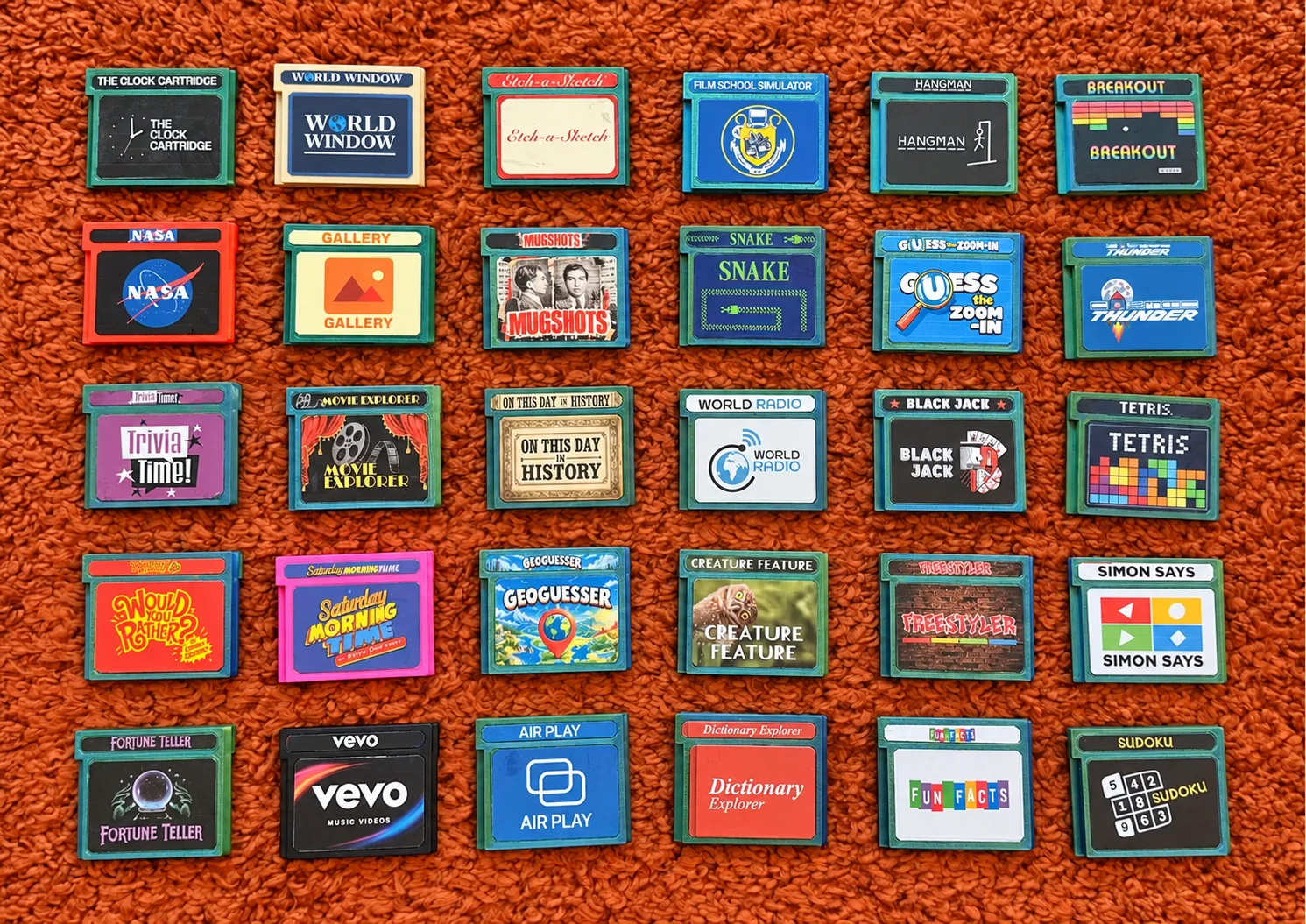
I've made over 60 cartridges so far. My favorites happened to fall on my carpet in a perfect grid layout. Select one to learn more about its features:
how it works:
Under the hood: A Raspberry Pi 4 powers the interface and media playback. An NFC reader recognizes each cartridge, while a rotary knob and buttons control the experience. Built-in speakers and Bluetooth support audio playback, with compatible wireless controllers available for select games. Materials cost roughly $200, and the software ZIP comes in at a surprisingly small 133 MB.
YouTube playback: SidePlayer uses yt-dlp to scrape information from YouTube channels and playlists. On first use, it builds a small starting pool for playback, then continues expanding the catalog in the background.
This cache stores video IDs and metadata, keeping storage light while the videos stream over the internet. This caching method allows for YouTube playback without an account and with no ads.
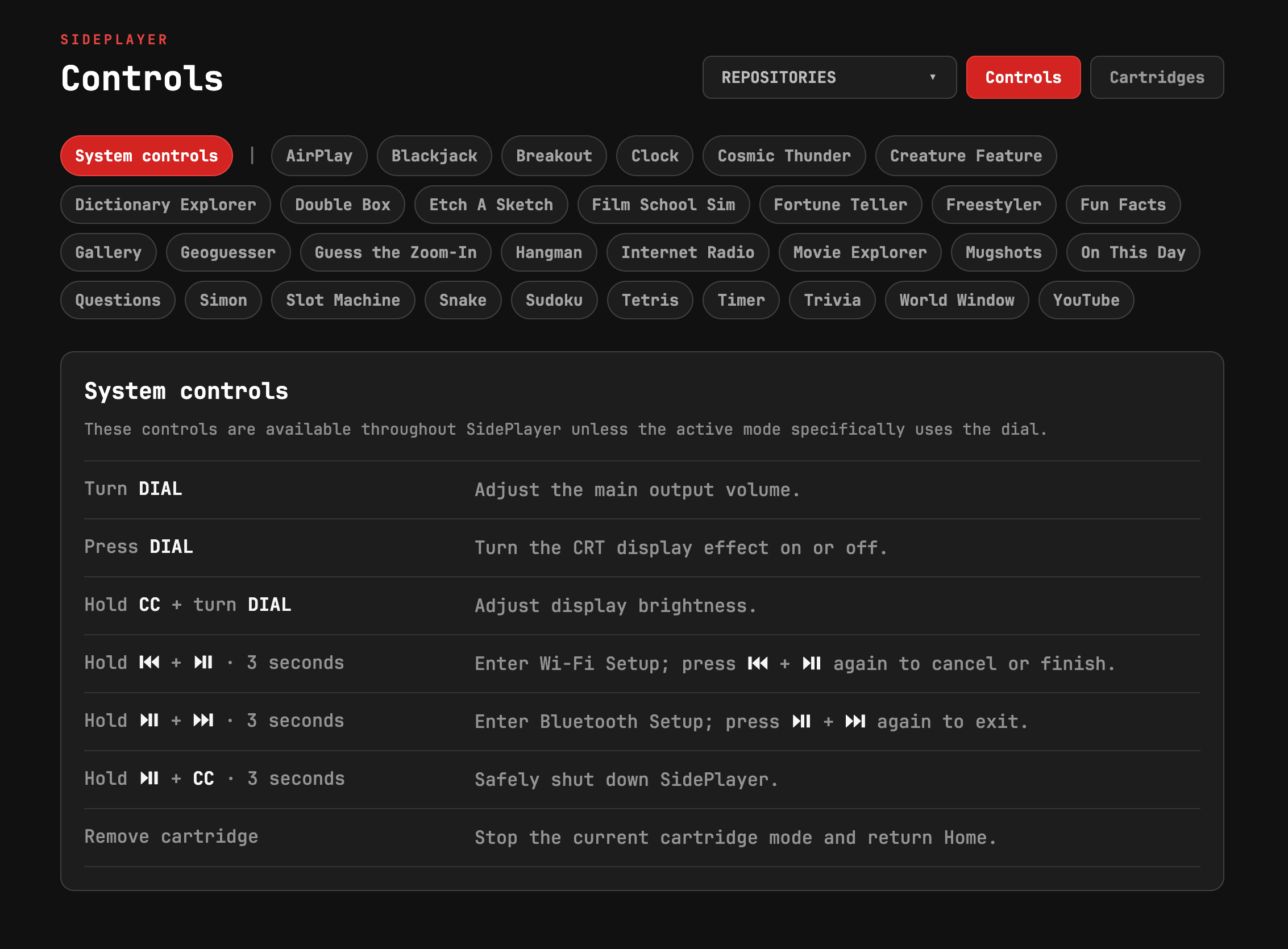
Network and libraries: When no WiFi is found, SidePlayer creates a temporary network accessible via a displayed QR code, so you can connect from your phone and enter your Wi-Fi details. Once connected, its browser-based libraries let you manage content over your local network and view controls for all its cartridges.
Each unit generates a unique ID during its first installation, allowing multiple SidePlayers to share a network with separate libraries and settings.

origin story:
SidePlayer began as a YouTube experiment. I wanted to remove the decision-making: choose a broad category like “travel vlogs” or “education” and let random videos play. Defining those categories proved tricky, so I pivoted to shuffling videos from individual channels.
I had it working on my laptop before I decided to add physicality. I loved the ritual of inserting a YouTube channel, and imagined how nostalgic it would feel to play my original game made in college, Cosmic Thunder, the same way. Suddenly, it was a YouTube player and a game console.
Then I added a clock so it could display something when idle. Custom backgrounds and fonts led to browser-based libraries. From there everything snowballed, and I became obsessed with dreaming up new cartridges and experiences.
SidePlayer will always be an ongoing project, and my friends will probably never stop telling me to sell it. To them I say: sometimes there's magic in creating something without planning to make a profit—but I’m happy to build custom units for anyone who reaches out.